Home AIMTributa Adding Filing Credits Article
Adding Filing Credits
Posted on 2025-02-02Log into the Portal Using your login credentials you use to login to the Tax Software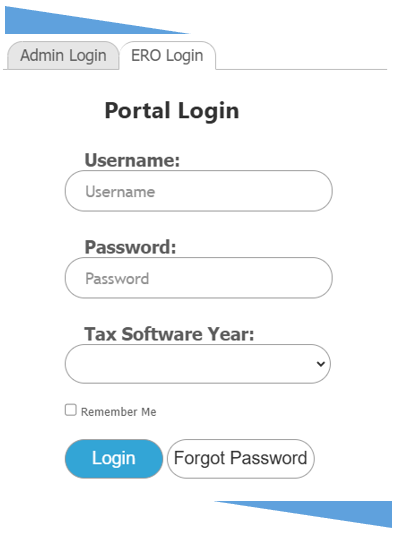
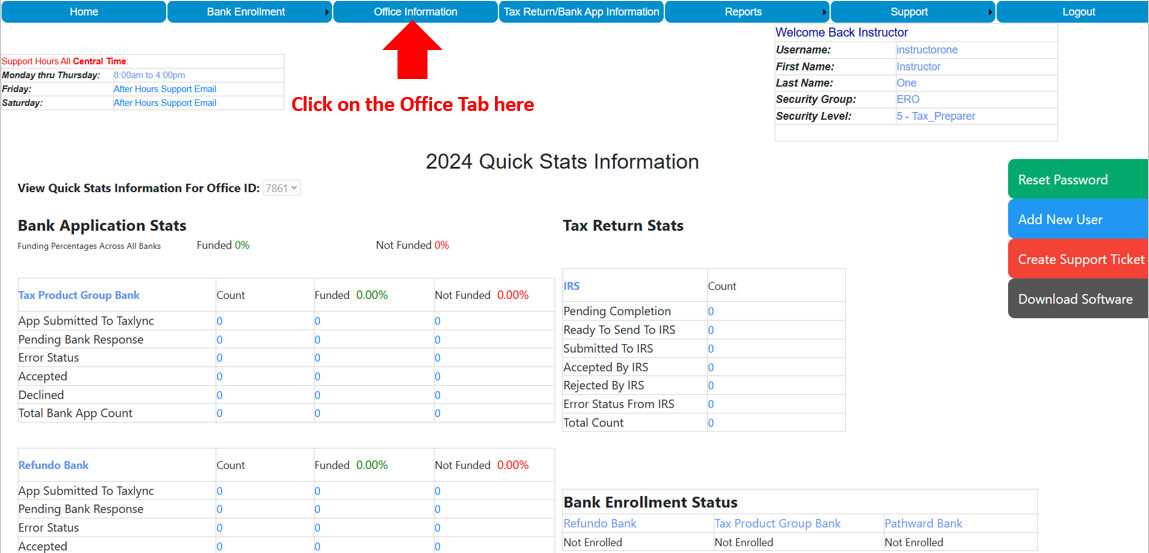
Once Logged in from the Dashboard click on the Office Information tab at the top
Once you are on the Office Information Page you will see this page at the bottom click on Office ID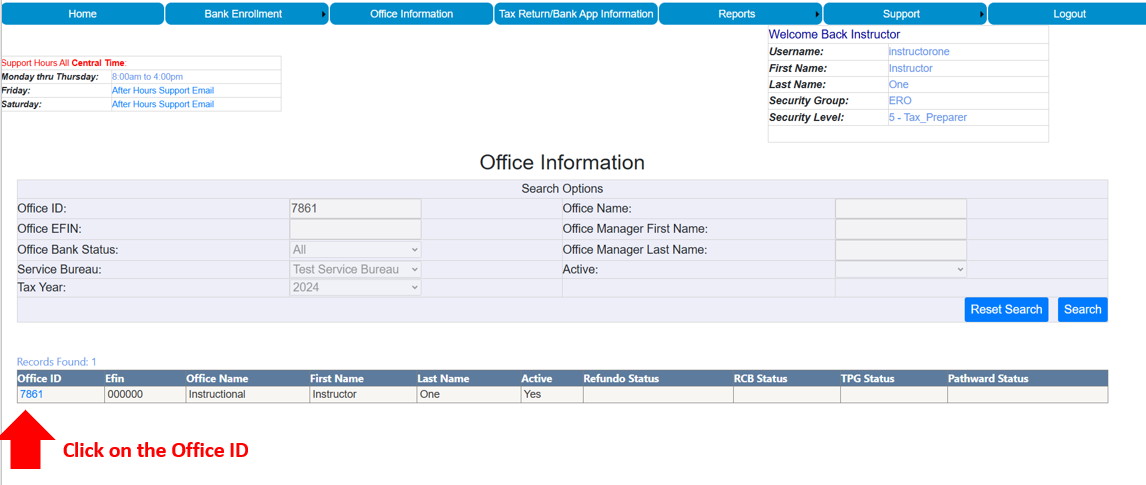
Once you click on the Office ID you will be taken to the Office Detail(s) page and then click on Purchase Efile Credit(s)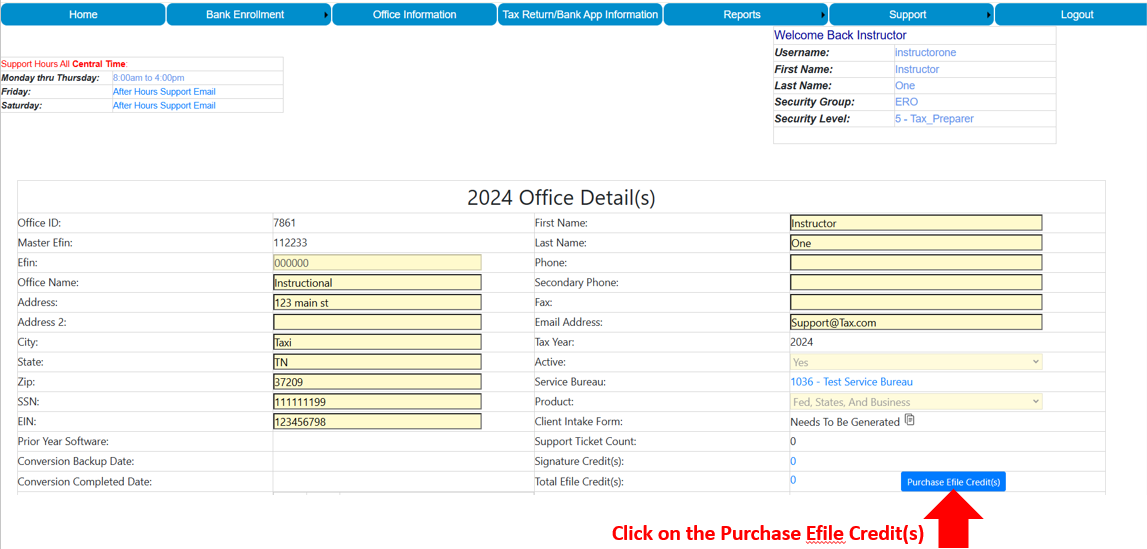
Once you click on Purchase Efile Credits you will see the Purchase Efile Credit(s) For your Office ID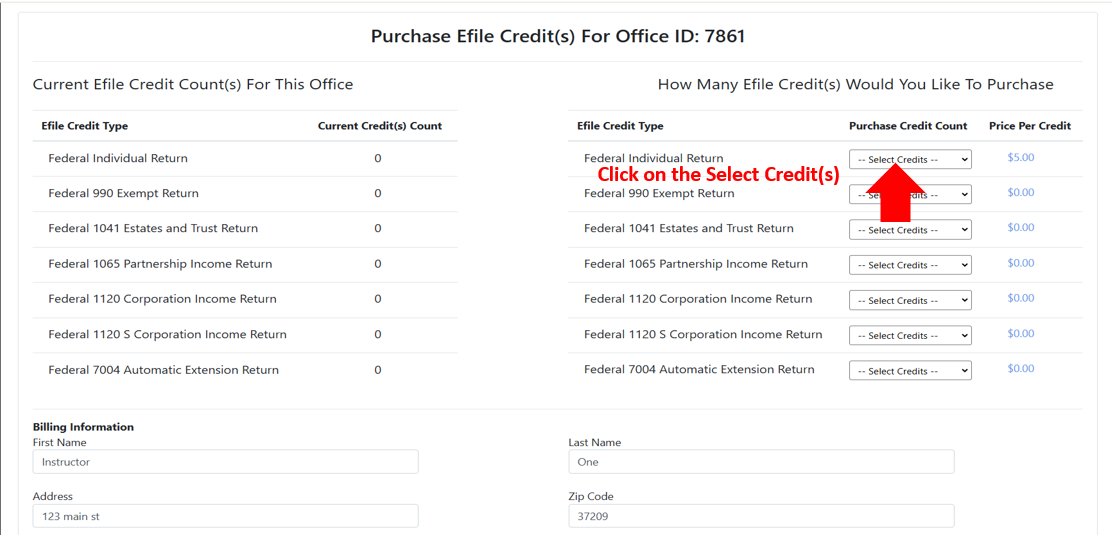
Once you are on the Purchase Efile Credit(s) For your Office ID page select how many credits you want to purchase and scroll down to the bottom and pay.
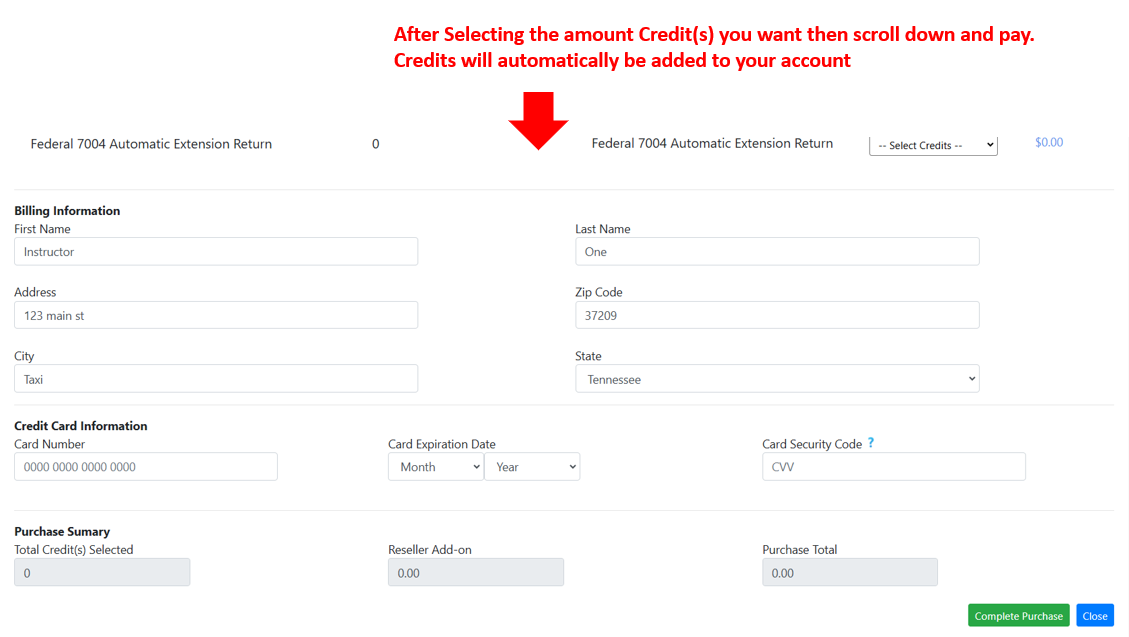
Once you have entered your Card inforamtion click the green Complete Purchase button and the credits will be added to your account.
Found this article helpful?
[ 43 Out of 88 Found Helpful ]

